


Pika! One - Themes & Wallpaper
4.740.00 Reviews
App Specs
- Version
- 1.9.2
- Updated On
- License
- Free
- Downloads
- 100,000+
- Developer
- Pika! Studio
- Categories
- Personalization
- Platform
- Android
Screenshots
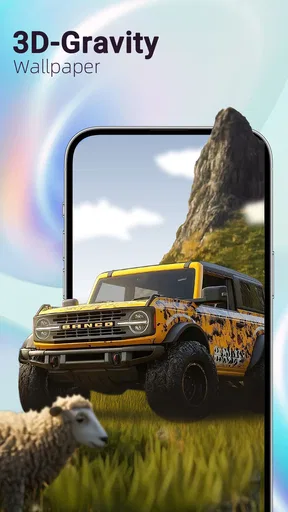
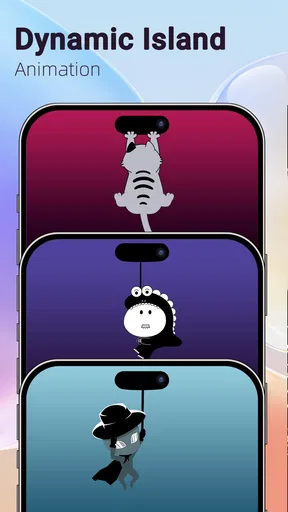
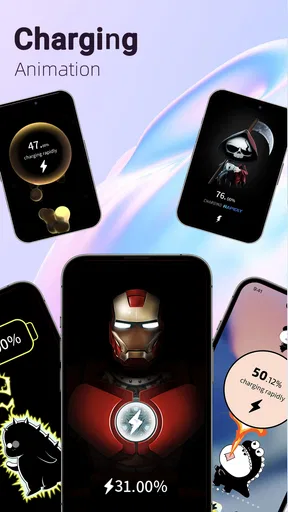
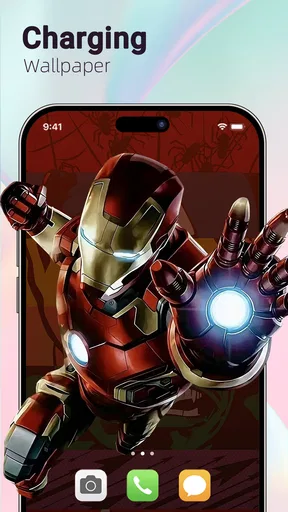
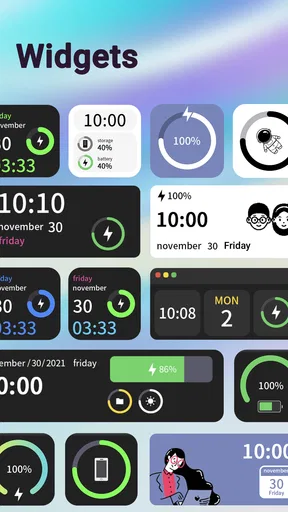
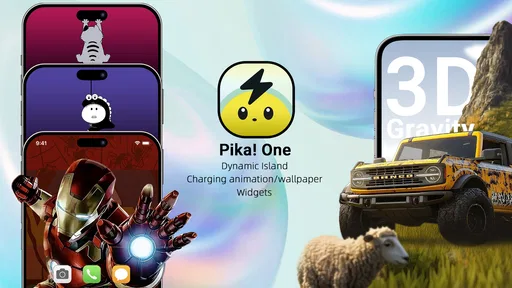
 Analysis by AppCompare
I’d start with a quick name check: the app is called Pika! One, but it is a phone-personalization tool, not a series-streaming service. That distinction matters before you download it. Its appeal is in changing the look and feel of an Android phone with gravity-style wallpapers, charging animations, and Dynamic Island-style effects, rather than helping you discover or watch television. If you enjoy tweaking your home screen and lock screen, that mix is much more relevant than the published series-focused text below.
A personalization kit with a specific style
Pika! One is a free personalization app from Pika! Studio. Its central idea is to bring several visual customizations together instead of sending you to separate wallpaper, charging-animation, and notification-effect apps. The combination is aimed at people who want their phone to feel more expressive at a glance, especially when the screen wakes, a cable is connected, or a notification arrives.
The strongest reason to try it is the way these effects can work as a small visual system. A wallpaper sets the background, while a charging animation or island-style notification adds movement at moments when you interact with the phone. I’d treat each effect as an accent rather than trying to make every screen constantly animated: one distinctive wallpaper paired with a restrained charging visual can look intentional without making the interface feel busy.
The app has a 4.6 average from around two thousand ratings, and it has passed one hundred thousand installs. That gives a new user some reassurance that it has found an audience, though popularity alone does not tell you whether its style will suit your phone or whether every visual option will fit your preferences. The age rating is Everyone 10+, and the app is free to install, with optional in-app purchases ranging from $1.99 to $99.99 per item.
How I’d fit the effects into everyday use
Gravity wallpapers are the most immediately visible part of the pitch. They offer a more dimensional look than a static image, so they are a natural choice if your current background feels flat and you want the phone to have a little more character. The trade-off is that moving, layered visuals can compete with icons and widgets. Before settling on one, I’d check the home screen with my usual layout in place; a wallpaper that looks striking on its own may make app labels or widgets harder to scan.
Charging animations are more of a momentary flourish than a reason to redesign the whole interface. They make sense if you like seeing a clear visual response when plugging in, or if you often set your phone down while it charges. For a quieter setup, I’d choose a simple effect and avoid pairing it with an already elaborate wallpaper. If the animation feels distracting during a bedside charge, that is a useful sign to switch to something subtler rather than abandoning the app altogether.
Dynamic Island-style animations are another optional layer, but they should be understood as visual effects, not as a replacement for the phone’s actual notification or system controls. I would judge them by whether they add useful visual polish without obscuring the information I need. If your priority is dependable access to alerts, keep the operating system’s normal notification behavior central and regard the animation as decoration around it.
Worth Reading Before You Choose

EA SPORTS FC Mobile 26 Is a Bigger Football Game, but It Takes Time

Flipboard Shows What News Apps Must Do Beyond the Feed

Switching to Android Auto Means Rethinking Your Driving Routine

Google Calendar Makes a Crowded Week Easier to Manage

Ludo King Makes the Most of the Minutes Between Plans

Baby Panda World Brings Quick Play to Modern Phones, but Its Game Library Feels Busy
Where it fits among other customization choices
Compared with downloading a single wallpaper from a gallery, Pika! One has a broader scope: it brings animated backgrounds and charging or island-style visuals into the same personalization experience. That is convenient if you want a coordinated look and would rather explore one app than assemble a collection of separate tools. A dedicated wallpaper app may still be the better pick if all you want is a large selection of still images, while system settings are preferable if you value a simple, low-maintenance phone above visual effects.
I’d also approach the “all-in-one” idea as a starting point, not a promise that every part will suit every device or taste equally. The best way to use it is to change one element at a time. Set a wallpaper first, live with it through ordinary tasks, then try an animation. That makes it easier to tell which customization is genuinely enjoyable and which one merely looked appealing in a preview.
One practical tip is to consider readability before choosing a dramatic background. Keep a familiar home-screen page visible while testing it, and check whether the icons and widgets remain easy to find in bright and dim surroundings. Another is to reserve the most animated look for a screen or moment where it adds something, rather than layering every effect together. These small choices help the phone feel personal without turning everyday navigation into a visual obstacle course.
Current state, version history, and what to expect
Pika! One was released on May 29, 2025, and its current version is 1.6.1. Those details place the app in a relatively early stage of its life as a personalization product, but they do not by themselves reveal what changed between versions. I wouldn’t infer a particular new feature or performance improvement from the version number alone. What a user can reasonably take from it is that the app has continued to receive versioned development since release, while the present experience remains centered on wallpapers and visual animations.
For someone already using it, a newer version can be a good reason to revisit the available choices and see whether the current selection better matches a refreshed home-screen layout. It is not a reason to assume that a favorite effect has changed or that every earlier preference will carry over exactly. Before making a substantial redesign, I’d note which wallpaper and effects I actually like, then adjust one setting at a time. That keeps the process reversible and makes any difference easy to spot.
There are also useful limits to keep in mind. A phone’s built-in personalization tools are usually the more direct route for a plain background or a conventional notification setting. Pika! One is for someone who wants extra visual treatment, not someone looking to fix a system-level alert problem or replace the phone’s normal controls. Similarly, anyone who finds movement distracting, prefers a clean screen, or is trying to keep customization minimal may be happier with a static image and default charging behavior.
Compatibility is worth checking before building a look around the app: it requires Android 7.0 or later. The app is not a reason to assume identical behavior across every Android device, so I’d test the particular effect I care about first and keep expectations practical. If the wallpaper is the main attraction, judge that on its own; if charging visuals matter more, try those in the ordinary routine in which you plan to use them.
The optional purchases are another reason to browse before committing to a particular style. Since the app is free to start, I’d explore what is available at no cost and decide whether the overall look earns a purchase for me. The listed range is broad, from $1.99 to $99.99 per item, so it is sensible to inspect the price attached to an individual choice rather than treating “free” as meaning every customization is included.
A realistic use case is a quick refresh before a busy week: choose a less cluttered gravity wallpaper, check that work and calendar widgets remain legible, and add a brief charging animation for the desk charger. If the phone is used at night, test the same setup while setting it down to charge; a lively effect that feels fun in the afternoon may be too noticeable in a dark bedroom. This kind of small, practical trial is more useful than changing everything at once and then struggling to identify what feels wrong.
I’d recommend Pika! One to Android users who enjoy visual customization and want several kinds of screen effects gathered in one place. I would skip it if I wanted only a static wallpaper, disliked animated details, or expected a new notification system rather than a decorative treatment. The app’s rating and install count suggest it has broad appeal, but my decision would still come down to whether its style fits the way I use my phone every day.
Looking ahead, the sensible things to watch are how the available visual choices evolve, whether the experience remains comfortable during routine use, and whether the current version works smoothly on your own device. Those are expectations to evaluate as the app develops, not claims about changes already made. For now, its best use is as a compact customization stop: start with one effect, check readability and comfort, and add more only if the result genuinely makes your phone feel better to use.
First Impressions
From the get-go, Pika! One feels welcoming. The interface is clean and super intuitive. You know when you walk into a friend’s house, and it’s just so cozy you want to stay forever? Yeah, that’s the vibe here. The navigation is straightforward, like, "Hey, click here to find your shows!" It doesn’t leave you wandering around like you’re lost in a labyrinth.
What caught my eye immediately was the easy access to a wide variety of series. Whether you’re into intense dramas, light-hearted comedies, or mind-bending thrillers, Pika! One seems to have it all. The app promises a comprehensive library, and it delivers.
Features That Stand Out
Now, let’s dig into the nitty-gritty. One of the first things I appreciated was the personalized recommendation system. It’s like having a friend who knows exactly what you’re in the mood for and suggests just the right thing. The algorithm learns from your choices and gets smarter over time. Pretty neat, huh?
The streaming quality is top-notch. I’m talking HD crispness that makes you feel like you’re right there in the scene. Whether you’re watching on your phone or casting to a larger screen, the experience remains seamless. No buffering nightmares here!
Another cool feature is the offline viewing option. You can download episodes to watch later, which is perfect for those long commutes or when you’re stuck in a no-signal zone. Just make sure you’ve got enough storage space, because trust me, you’ll want to download a lot.
Ease of Use
Using Pika! One is a breeze. The search function is robust, meaning you can find your favorite series with just a couple of taps. Plus, the app categorizes content beautifully. You can browse by genre, trend, or even mood, which I found pretty fun when I wasn’t sure what to watch next.
Creating a watchlist is another highlight. It’s like having a personal library that you can tailor to your tastes. I’ve already filled mine with a mix of classics and new releases, ensuring I’m never bored.
Overall Experience
What really makes Pika! One stand out is its user-friendly nature combined with a rich selection of series. Whether you’re a casual viewer or a binge-watcher, this app caters to all. It’s like having a world of entertainment at your fingertips, ready to dive into whenever you fancy.
In terms of performance, I didn’t encounter any glitches or crashes, which is a huge plus. There’s nothing worse than your app freezing right in the middle of a cliffhanger, am I right?
Overall, Pika! One is like that reliable friend who’s always ready with a recommendation and never lets you down. If you’re on the hunt for an app that combines variety, quality, and ease of use, this might just be your new favorite hangout spot.
So, grab your popcorn, get comfy, and dive into the world of series with Pika! One. You won’t regret it!
Pros
- User-friendly interface with easy navigation.
- Comprehensive database of shows and movies.
- Offline viewing option available.
- Regular updates with new content added.
- High-quality streaming with minimal buffering.
Cons
- Limited subtitle options for foreign content.
- Ads can be intrusive during playback.
- Requires stable internet for smooth experience.
- Some features locked behind premium access.
- Occasional crashes on older devices.
FAQs for Pika! One - Themes & Wallpaper
What is Pika! One - Series App and its main purpose?
Pika! One - Series App is designed for TV show enthusiasts who want a streamlined way to track their favorite series. The app provides detailed episode guides, customizable watchlists, and notifications for new episodes. It aims to enhance the viewing experience by keeping users informed and organized.
Is Pika! One - Series App free to use or does it require a subscription?
Pika! One - Series App offers a freemium model. Users can access basic features at no cost, including tracking a limited number of shows. For a more comprehensive experience with additional features such as ad-free usage and unlimited watchlists, a subscription is available at a competitive monthly rate.
How does Pika! One - Series App integrate with streaming platforms?
The app does not directly stream content but provides links and reminders for episodes available on popular streaming platforms. Users can sync their accounts to receive tailored notifications and updates about their preferred series, making it easier to keep track of new releases and watch them on the correct platform.
What are the device compatibility requirements for Pika! One - Series App?
Pika! One - Series App is compatible with both Android and iOS devices, requiring Android 5.0 or higher and iOS 11.0 or later. It is optimized to run smoothly on smartphones and tablets, ensuring a seamless user experience across different screen sizes and operating systems.
Does Pika! One - Series App offer social features for users to interact?
Yes, Pika! One - Series App includes social features that allow users to share their watchlists and episode reviews with friends. Users can also follow other profiles to discover new series recommendations and discuss their favorite episodes within the app’s community, enhancing the social aspect of TV watching.


